
Paylocity How-to Guide
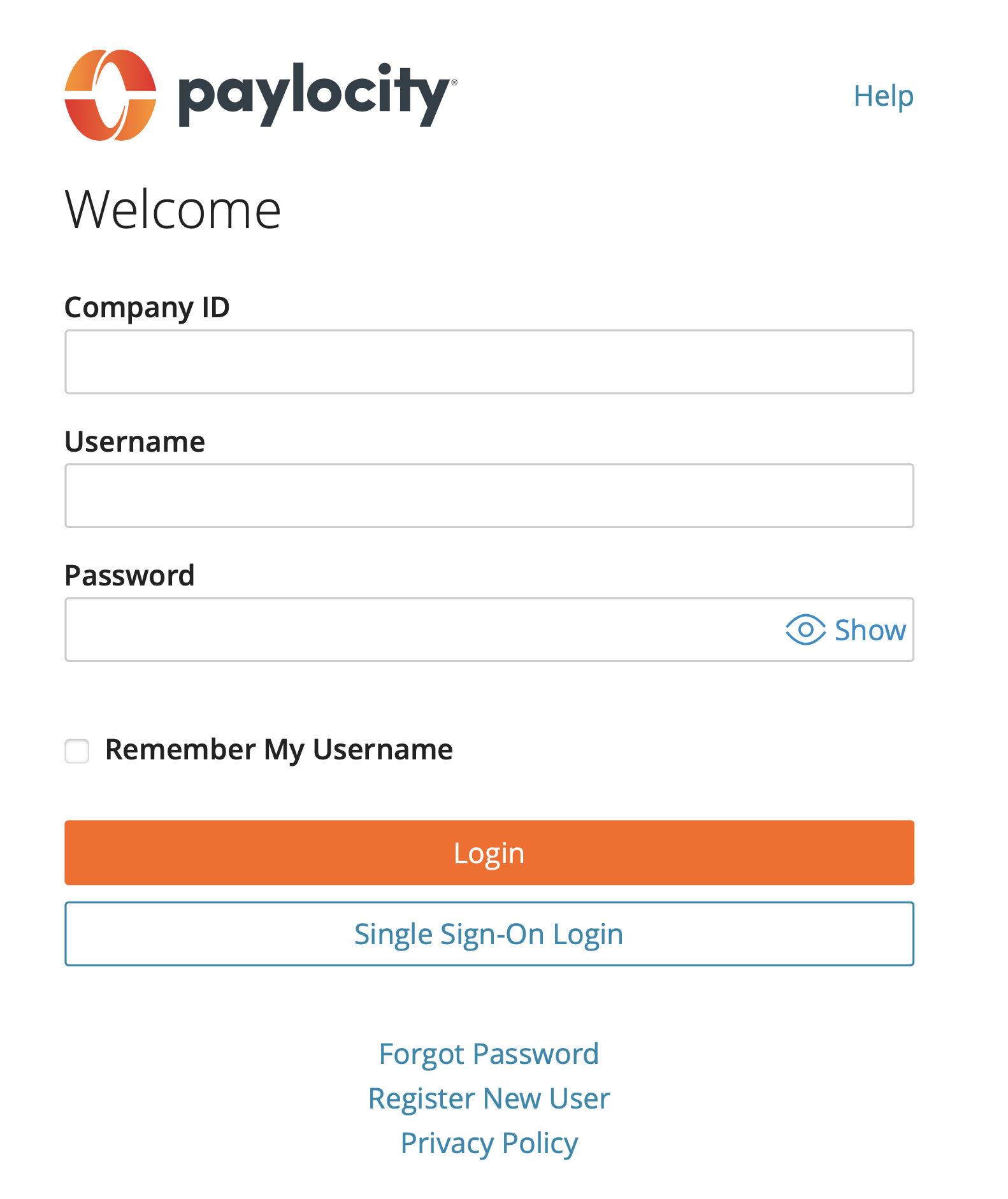
Logging In
Download the Paylocity app or visit https://access.paylocity.com/
Company ID: 95271
Username: Firstname.Lastname
Password: You will be provided a temporary password at orientation. After the first login, you will be prompted to create a new password.
If you can’t log in, contact the Y.O.U. Call Center at 216-776-3900
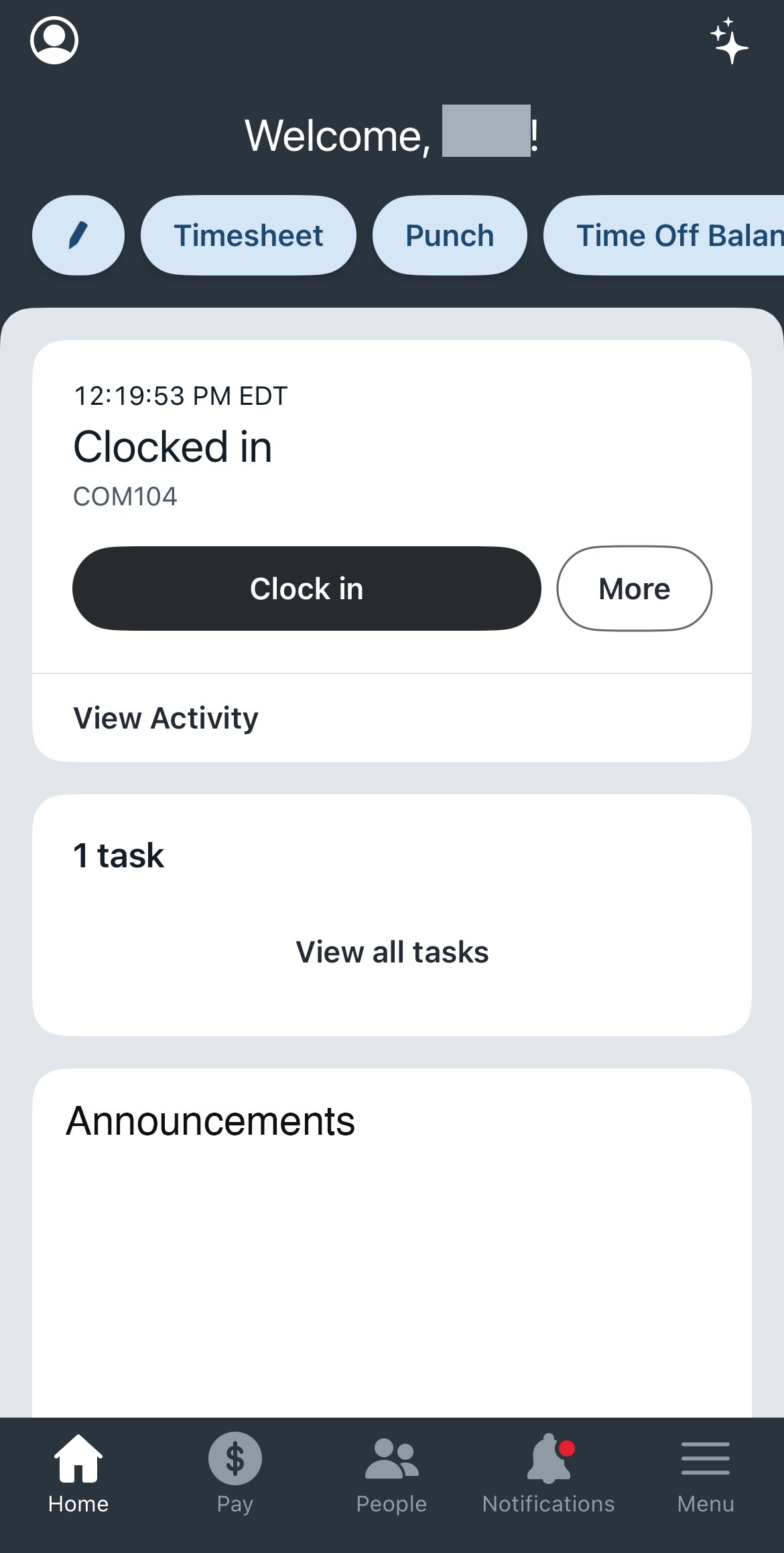
Clocking Hours (Mobile)
Tap the Punch button in the middle to Clock In, Start/End Lunch and Clock Out. Add an optional note and then tap Submit.
Timesheet: Tap the menu at the bottom right-hand corner. Clock the Timesheet button. Tap the “Plus” button to manually add shifts.
Select the Date. Enter Start Time. Enter Lunch Start/End (if you are working more than 5 hours, you need a lunch break). Enter End Time. Tap Submit.
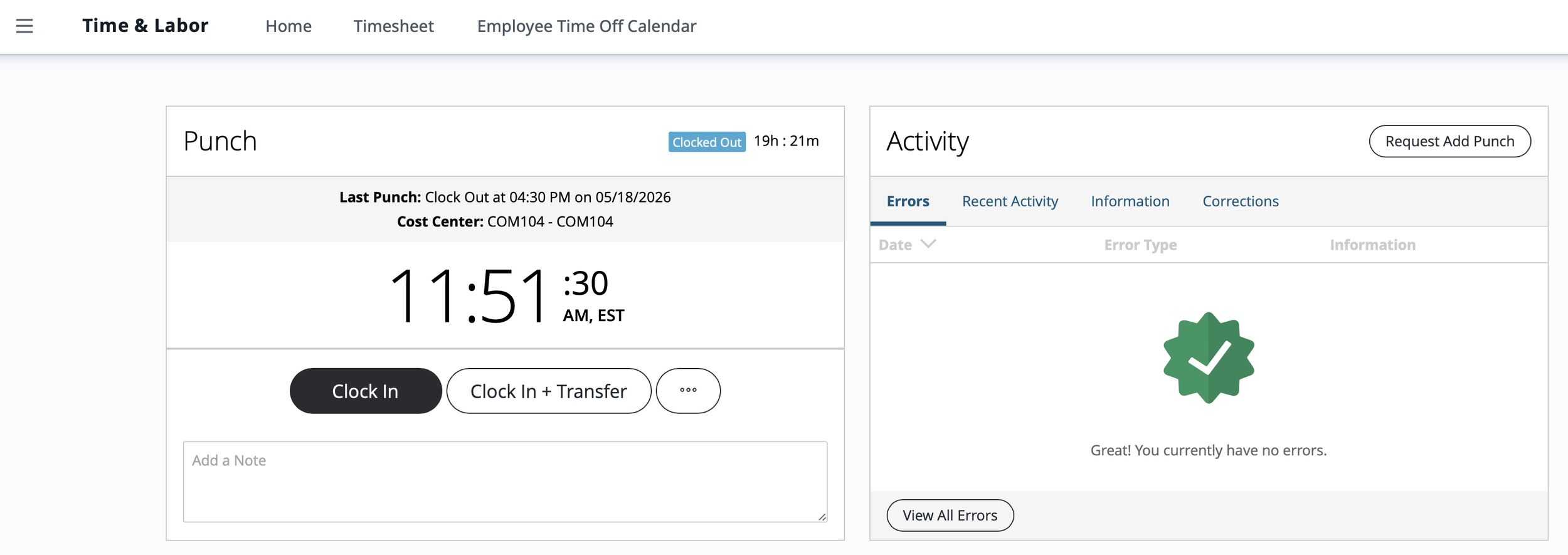
Clocking Hours (Desktop)
Click the Menu icon in the top left corner. Click on Time & Labor. Here, you can Punch In/Out, view Recent Punch Activity and navigate to your Timesheet.
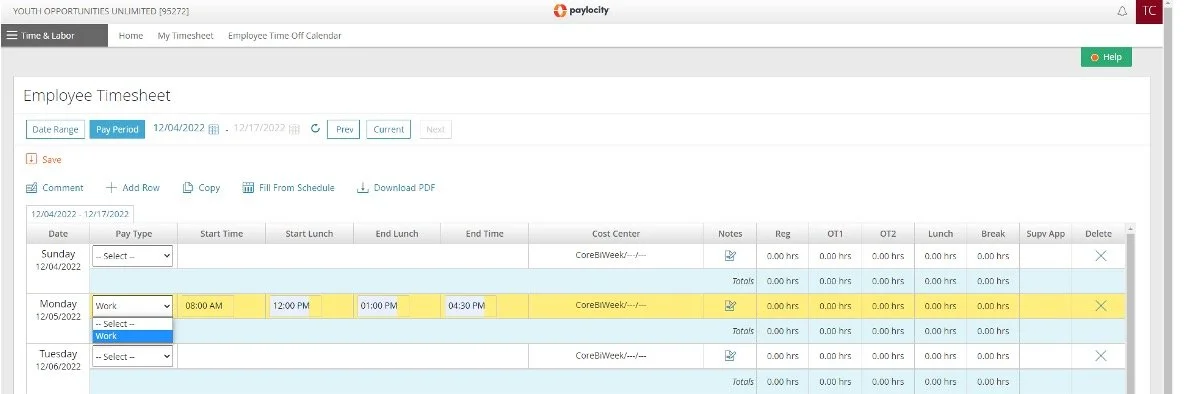
Timesheet: Select the Date. Select the Pay Type. Enter Start Time. Enter Lunch Start/End (if you are working more than 5 hours, you need a lunch break). Enter End Time. Click Save.
Electronic Time Keeping
It is the responsibility of every employee to accurately record time worked.
All Y.O.U. participants MUST accurately record time worked using the Paylocity Timekeeping platform for payroll purposes.
Time recorded must reflect the actual hours worked each day.
It is YOUR responsibility to submit your time via Paylocity.
Submit time daily to ensure time worked is submitted ON or BEFORE the end of each pay period.
Supervisors will review and submit the electronic timesheet to payroll.
Falsely recording time or altering any timesheets will be grounds for disciplinary action up to and including termination.
Follow these rules when inputting your time:
Only input time under your user ID.
Enter your exact start and stop time.
Enter your stop and start time for lunches.
Be sure to clock in and out in at the worksite only.
Time entered at locations other than your worksite WILL NOT BE PAID.
Do not log-in more than 5 minutes before your scheduled time unless authorized by your Worksite Supervisor.
Log-in at the end of each week and verify the total hours for the week and submit the time you have worked.
Your Worksite Supervisor will electronically approve the time you have submitted. Your Job Coach can also electronically approve your time entries.
You will be able to use your smartphone or other device to clock in and out each day. If you do not have a personal smartphone, you will be able to use a tablet or computer provided by your Worksite to clock in and out each day.
Program Hours/Duration
Participants will be scheduled to work up to 25 hours a week for at least six weeks (for a maximum total of 150 hours over the course of their summer work experience).
Schedules vary and are created by individual worksites.
A participant could be scheduled to work between 20 and 25 hours a week. 25 hours per week is not guaranteed.
Payroll Information
Pay Rates
Participants will be paid an hourly rate of $13.50 an hour.
Pay Days
Participants will receive a paycheck on the following dates:
June 26
July 10
July 24
Aug. 7
How will I be paid?
All participants will be paid via Direct Deposit or by rapid! Pay Card. You will be able to access your payroll summary through the Paylocity platform.
No live checks will be issued.
Participants paid with a pay card will have their paycheck loaded onto a pay card that will be delivered to them on their first pay day. This card will act like a debit card.
You will be paid only for the time you actually work.
Payroll Issues
Time Entry
If you are having trouble using Paylocity to input your time, please ask your Worksite Supervisor or your Job Coach for assistance.
Other Issues
If you have any problems with your pay, please call the Y.O.U. Call Center immediately at 216.776.3900. The Call Center should be your first stop to get your paycheck fixed. You should also let your Job Coach know right away so they can help you address the problem.
Do not wait until after the program ends to call!
Who to Contact
-
Cannot locate worksite or Worksite Supervisor is not present on the first day
Need information about worksite (where I’m supposed to be, what time my shift starts/ends, what to wear)
Need to miss work or will be late to work (first call Worksite Supervisor ASAP)
Having an issue at the worksite
Having an issue with the worksite supervisor
Have a concern about health/safety at worksite
Issues with logging hours worked in Paylocity
Payment issue
Pay Card issue
-
• I or my family is struggling with any of the following barriers:
Housing
Food
Clothing
Mental health
Transportation
Domestic violence
Childcare
Substance abuse
• Need help obtaining work uniform or work supplies/equipment
• Need help writing a resume
• Need help finding or applying to a job
• Need additional support at the worksite
• Phone number, address, or email address changed
• Need emotional support or encouragement
-
Can’t log into Paylocity
Forgot Paylocity password
Need W-2
Payment issues
Pay Card issue
Change direct deposit account
Lost contact info for Job Coach or Resource & Support Specialist
Moved and need to change address
Call 216-776-3900